.png?width=700&height=200&name=Untitled%20design%20(43).png)
OpenEd Clubs Overview
Our Community team is proud to offer totally-free, totally-awesome clubs to help OpenEd kids connect with friends across the country who share their interests!
Every month, we launch new clubs that match what students are excited about. Here's how to get involved!
How To Sign Up For A Club
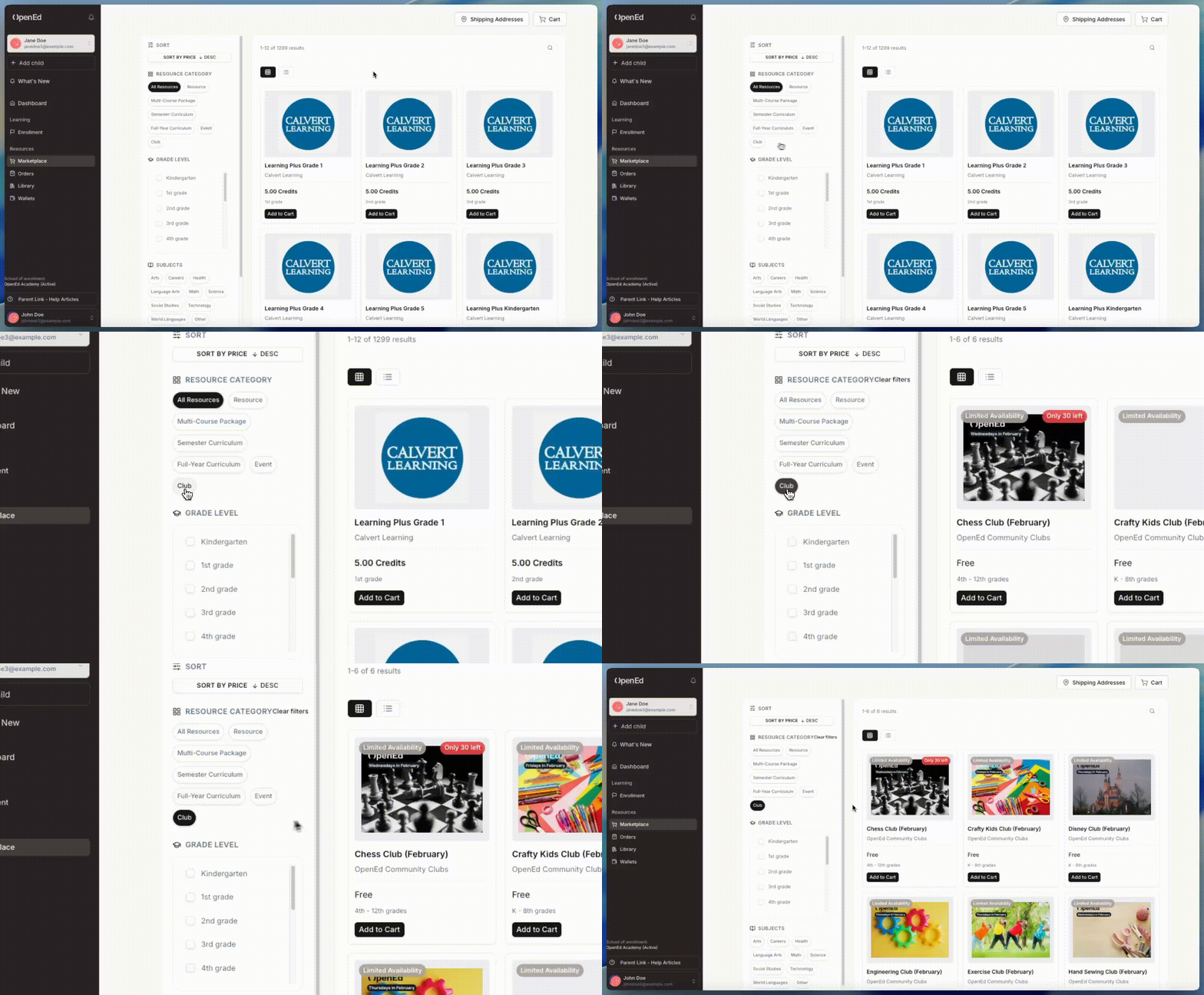
After logging into the platform, head over to the marketplace from the lefthand sidebar.
Once you're there, click on the word Clubs from the top right of the screen to view our current club offerings.
Click on a tile to view the full information listed for each club, including a brief description, when we meet, and what supplies you'll need.
To sign up for a club, click the Add to Cart button. Then, check out to complete your order.
Keep in mind: If a club has limited spots available, you'll see the label Limited Availability in the top left corner of the listing's tile.
Where To Find Your Clubs' Info
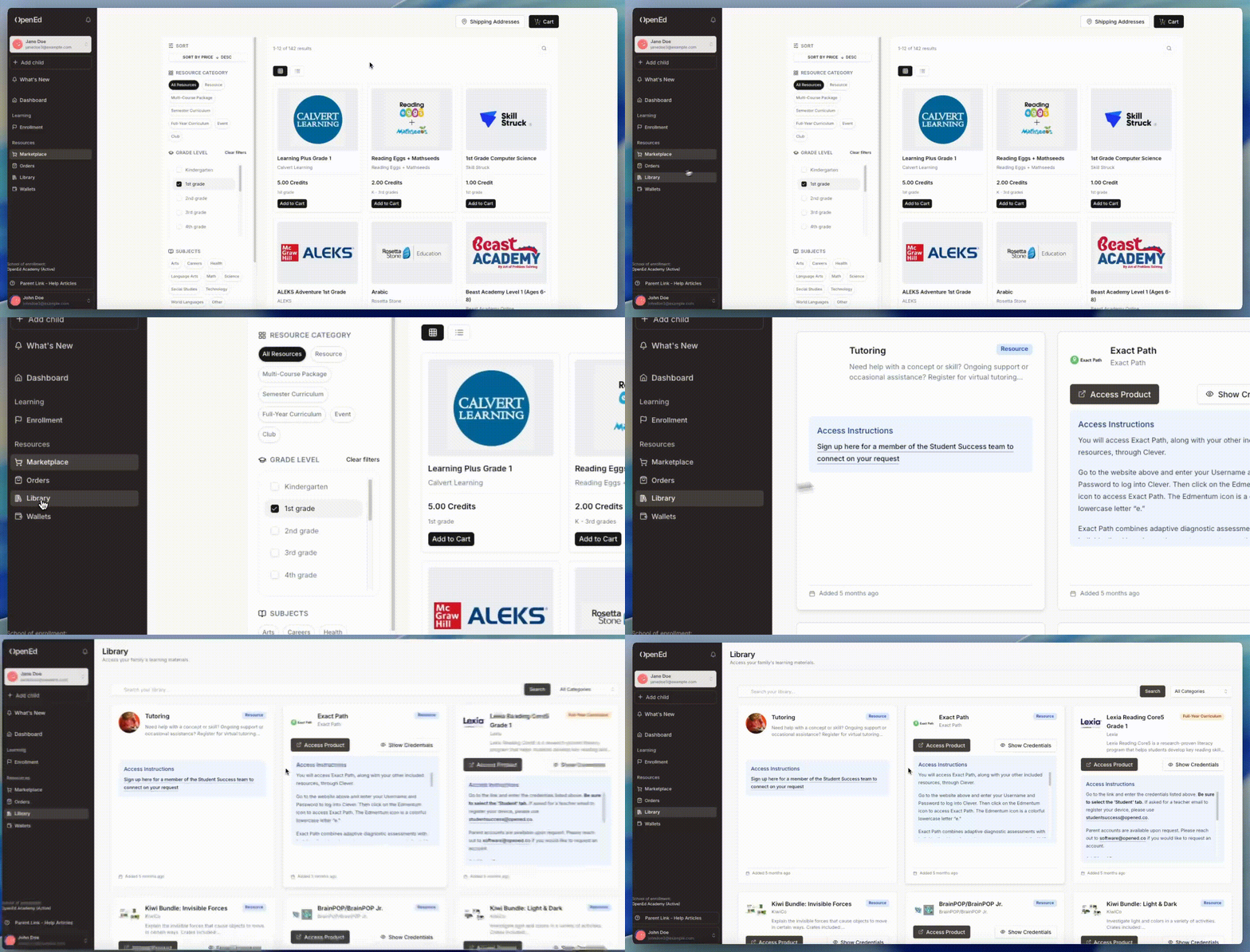
After our team fulfills your order for a spot in one of our clubs (which might take a day or two), the club's information will show up in your library.
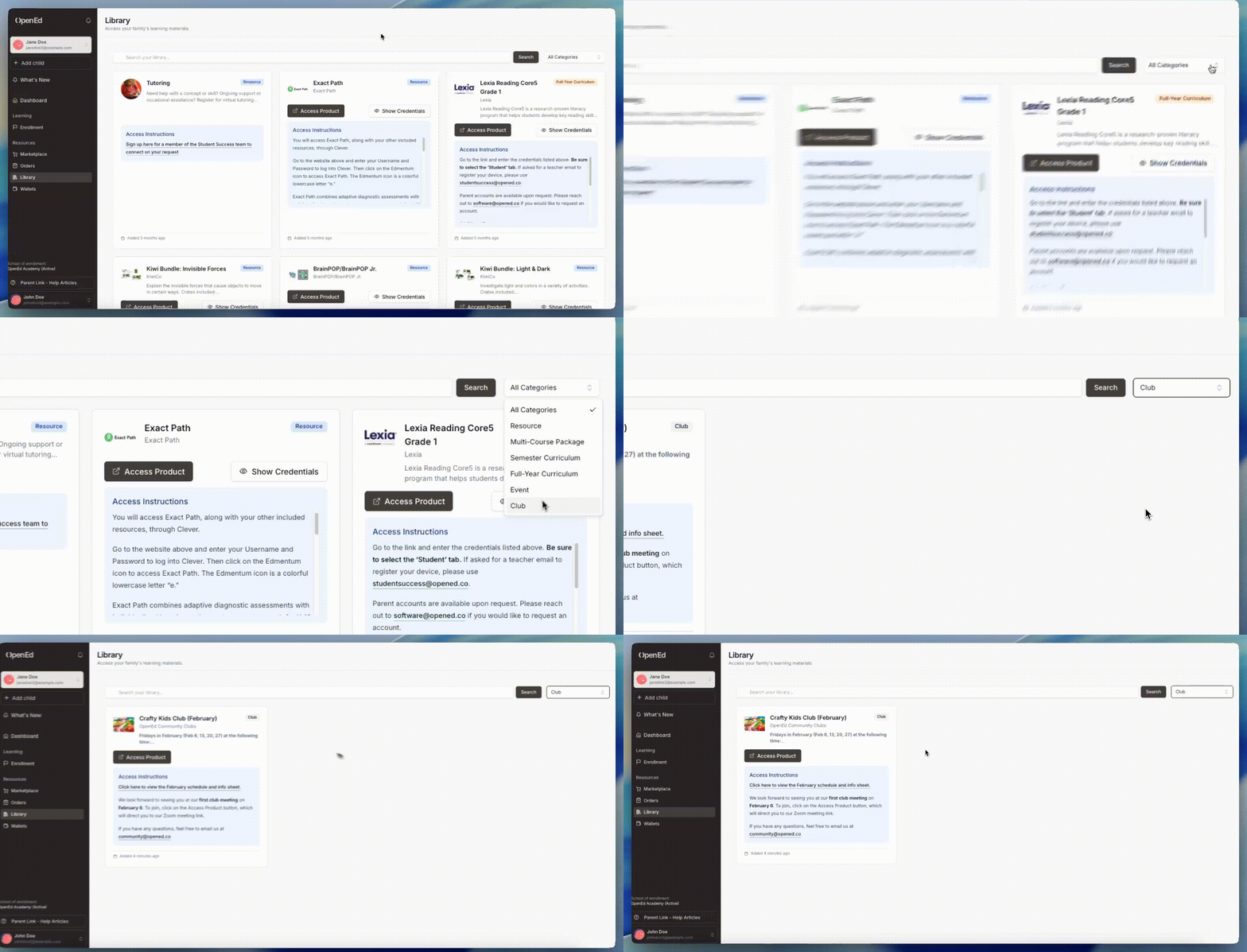
Click on the Library menu option from the lefthand sidebar to view all of your educational resources, including any clubs and events you've signed up for.
Through the dropdown menu in the top right corner, you can also sort your library to only view your clubs.
State-Specific Information
General (OpenEd Academy)
- Uses different visual examples with academy-specific GIFs
- References 'OpenEd Academy kids' instead of 'OpenEd kids'
- Contains complete 'Where To Find Your Clubs' Info' section with library instructions
- Shows academy-specific navigation screenshots

All Other States
- Uses standard visual examples with intercom GIFs
- Articles appear truncated/incomplete in some cases
- Missing complete 'Where To Find Your Clubs' Info' section


Frequently Asked Questions
How do I sign up for OpenEd clubs?
After logging into the platform, go to the marketplace from the left sidebar, click on 'Clubs' in the top right, select a club tile to view details, then click 'Add to Cart' and check out to complete your order.
Are OpenEd clubs free?
Yes, OpenEd clubs are totally free and help kids connect with friends across the country who share their interests.
Where can I find information about clubs I've joined?
After your club order is fulfilled (which may take a day or two), the club's information will appear in your Library. You can access your Library from the left sidebar and filter to view only your clubs using the dropdown menu.
What does 'Limited Availability' mean for clubs?
If a club has limited spots available, you'll see the 'Limited Availability' label in the top left corner of the club's listing tile, indicating that enrollment is restricted.
How often are new clubs launched?
OpenEd launches new clubs every month that match what students are excited about, providing fresh opportunities for engagement throughout the year.